

Boeing 737 Cockpit Controls Guide: The Main Controls You’ll Use
If you’re joining us soon and you’re curious about what you’ll actually be doing in the cockpit, this is a simple guide to the main Boeing 737 cockpit controls you’re most likely to use during your session. It’s written for complete beginners, so you do not need any aviation knowledge and you definitely do not need to memorise anything. Your instructor will explain everything on the day, so there is no pressure at all.
You’ll be flying in our full motion Boeing 737 simulator at JetEx, so this guide only covers the controls you are most likely to use during a normal session. There are hundreds of switches in the cockpit, but most of them are things you do not need to worry about unless you want to get more involved. If there is anything extra you would like to try, just ask your instructor on the day and they can set the simulator up for you.

The main Boeing 737 cockpit controls can be broken down into a few key areas.
Controls that help you manually fly the aircraft
Controls that help automate parts of the flight and reduce workload
Comfort and setup features, such as seat adjustment and airflow
The Rudder Pedals
The rudder pedals are for steering, but only on the ground. They don’t turn the aircraft like a car would, but they are most comparable to using the steering wheel in a car.

These pedals sit where your feet naturally rest when you are seated properly in the cockpit. If you push the left pedal forward, the aircraft steers left on the ground. If you push the right pedal forward, it steers right. The opposite pedal moves with it, so the whole system feels fairly natural once you try it.
You’ll mainly use them for:
keeping straight during take-off roll (especially in wind)
small corrections on the runway after landing to keep it straight
crosswind control (later on, if you want to try it)
Don’t worry if that sounds technical. Most people get it within minutes because it’s instinctive: if the aircraft starts drifting, you push where you want to go and your feet bring it back. As soon as you get airborne, your feet can relax, and your hands take over.
Using the pedals can sometimes be a bit of an art, and it's not uncommon to see people leaving the runway accidentally and momentarily turning a multi-million pound jet into a rather expensive lawnmower!
To adjust the pedals, you pull out the white toggle between them and rotate it to move them forward or backward. If you are a younger flyer and cannot comfortably reach the pedals, do not worry. Your instructor can help with ground steering, and once airborne you will still be able to take the controls.
The Yoke
The yoke, also known as the control column, is the main control you will use to actually fly the aircraft.
pulling back towards you = nose up
pushing forwards away from you = nose down
turning left/right = bank left/right
That is the basic idea, even if it feels a little more challenging once you are doing it in real time.
The main skill is learning to make smooth, measured inputs rather than large ones. One of the most common mistakes in both real aircraft and simulators is over-controlling, so a light touch tends to work best.
Most beginners are surprised how quickly it starts to feel natural, especially once you’ve got the horizon on the display in front of you.

The PFD (Primary Flight Display)
The PFD, or Primary Flight Display, is one of the most important screens in the cockpit. It shows the core flight information you need to understand what the aircraft is doing and is key to operating a 60-tonne aircraft that is flying very high, and very fast.
The PFD shows key real-time flight information such as:
Attitude (how far the aircraft may be pointing up or down, or how much it is banking to the left or to the right)
Altitude (how high the aircraft is, above sea level)
Airspeed (how fast the aircraft is flying in knots)
Vertical Speed (how quickly the aircraft is climbing or descending in feet per minute)
Heading (the direction the aircraft is pointing)

A | The 'nose' of the aircraft, showing you how many degrees it is pitching upwards or downwards, with black L shaped wings on either side of it to show the bank of the aircraft. |
B | The indicated airspeed of the aircraft, measuring how quickly air is passing the aircraft in knots. |
C | Ground speed of the aircraft using a combination of inertial data from the Inertial Reference System (IRS) and position data from GPS satellites. |
D | The aircraft’s indicated altitude above sea level. |
E | Vertical speed, showing how quickly the aircraft is climbing or descending in feet per minute. |
F | A compass showing which heading (direction) the aircraft is currently pointing. |
If you have ever wondered how pilots fly in cloud, fog or at night, this is a big part of the answer. The PFD gives pilots the information they need to control the aircraft accurately without relying only on the outside view.
While flying, you may also see two pink bars on the PFD that form a cross. These are the flight directors. Their job is to show you where to steer and pitch the aircraft in order to follow the target flight path. Think of it like following a sat-nav in a car.

Seen in the photo above, the flight directors overlay the centre of the PFD and look like a pink cross. The goal sounds simple, but is harder to execute than most people think.
The aircraft (represented by the small black square and L shaped wings) must fly onto/be in the middle of the Flight Directors.
As shown in the image above, if it were a real flight, you would be making a gentle left input on the controls to get that black square back onto the pink cross.
This is probably the part that takes most customers the longest to get the hang of, and will be explained to you on the day of your flight and you will be continually coached throughout the session.
The Throttles
The throttles control engine power. More power usually means more acceleration and climb performance, while less power usually means the aircraft will slow down or descend, depending on the situation. On the 737, power changes can also affect the aircraft’s pitch, so adding or removing thrust can change how the nose feels.
In a normal session, you may not use the throttles very much because the aircraft’s automatic throttle system can handle much of that workload for you, especially during take-off and other key phases of flight.
The option to use the throttles manually is there, just speak to your instructor! For your first take-off and landing, we'd recommend to let the autothrottle handle it for you. The instructor will walk you through setting up the automatic throttles.

Above is an image of the throttles in a Boeing 737. There are two levers, one for each engine (labelled 1 and 2), along with reverse thrust on the front side of the throttles. With the autothrottle engaged you will see these thrust levers moving back and forth on their own, if you've seen the Harry Potter films, it looks like that sort of magic!
To engage take-off mode, or TOGA, there is a button on the throttle that your instructor may ask you to press. This commands the aircraft to apply take-off thrust automatically, then later reduce to climb thrust before settling into a speed-controlled mode, similar to cruise control in modern cars.

In the image above, you can see the 'TOGA' button. (Take-off/Go-Around). It is labelled by Boeing as the "AUTO-TAKE OFF & GO-AROUND" button. This is the button you will press to get going!
The MCP (Autopilot Panel)
The MCP, or Mode Control Panel, is the main panel used to control the autopilot and autothrottle systems. It sits right in the middle of the cockpit in front of you.
It manages speed, lateral navigation (direction), vertical navigation (altitude/vertical speed), and allows autopilot engagement. This allows crews to set targets and select modes for automated flight. It also allows the Pilot Monitoring (PM, and usually your instructor) to set heading or altitude targets when flying manually, which the Flight Directors will then guide you towards on the PFD.
During your session at JetEx, you do not have to use automation at all. In fact, many guests prefer to fly manually. But if you want more of the airline feel, this is where that side of the experience begins. To put it into perspective, all aircraft will take-off manually, then the autopilot is usually engaged as early as 400-1000feet, and then not turned off until the last mile or so of a landing!

Your instructor may show you or explain to you how it works, but unless you decide or wish to use the autopilot, your instructor will simply be setting headings and/or altitudes in the MCP for the Flight Directors to guide you towards. You can think of it like your instructor is Air Traffic Control, giving directions, but it's up to you using your newfound skills to follow them!
Other Boeing 737 Cockpit Controls
These may not be the “main flying controls”, but they are just as important to ensure you are comfortable and easily in control during your session.
Seat Adjustment
Getting you into the seat is one of the first things we do as we enter the cockpit, and most of the time the instructor will adjust the seat for you, or help you adjust the seat yourself. This is important because it affects everything:
Visibility: you want a clear view of the PFD and the outside visuals without craning your neck
Control Feel: if you’re too close or too far, the yoke and pedals feels awkward and you could end up over-controlling the aircraft
Pedals: your legs should be able to use the rudder pedals comfortably without stretching
Fatigue: if you’re tense, you’ll tire quicker and everything feels harder than it needs to
Do not be afraid to spend time on getting your seat position right with your instructor, there are lots of ways to move the seat (forwards and backwards, up and down, seat angle, cushion height etc). This does not eat into your session time and we want you feeling ready to fly!

Here is a short video on the basic adjustment of the seat. The seats move on "J-Rails" which mean when you get in, the seat is tucked away to the side, to move it, as shown in the video, you need to lift up the handle and then pull the seat inwards towards the centre of the cockpit, then slide yourself forwards and back as necessary. Your instructor will show you where is safe to grab onto while you are doing this.
Airflow / Temperature
It's important to be comfortable during your session at JetEx!
We try to keep the cockpit cool so you can relax and focus on flying. If you ever feel too warm, too cold, or just want more airflow, you can adjust the vent next to the PFD to direct or reduce the airflow on your side of the cockpit. If in doubt, just ask your instructor.
Flying the simulator can be surprisingly hands-on, and during the summer the cockpit can get quite warm. If you are visiting on a hot day, lighter clothing is a sensible choice.

Cockpit Simulator Safety
Because this is a full motion simulator, there are a few simple safety points to keep in mind so your session stays comfortable and safe.
Please follow the lead of your instructor. They are trained not only on flying the aircraft, but also on the safe operation of the simulator and will help you enter and exit safely.
Do not attempt to open the door while the motion is engaged. This applies more to spectators sitting in the rear of the cockpit, by the door.

If you want to leave the simulator, just ask your instructor. Please remain seated until a member of the JetEx team tells you it is safe to move, especially while the bridge is raised, as there could be a risk of falling from the simulator.
Please remain seated throughout your simulator session. The aircraft may be flying smoothly but you never know when a gust of wind or bump of turbulence could come along - and sometimes these are enough to cause a standing person to fall. There are seatbelts if you would like them!
The simulator session can be paused at any point. Should you want to pause the session, just ask your instructor and they will immediately freeze the simulator. If you then want to get out, your instructor will lower the bridge and unlock the door to enable you to exit. This takes no longer than 30-45 seconds.
Additional spectators must remain in the visitors lounge, where they can watch the TV screen showing the simulator view. Visitors are not allowed near the simulator while it is operating.
No food or drink is permitted inside the simulator. There are a lot of electrical components inside the simulator cockpit, and one small spillage during a patch of turbulence could mean no more flying!
Our primary concern is that you have a great time at JetEx. We want you to enjoy your session, so do bring family and friends, do take photos and videos, and please ensure you speak to your instructor about what you'd like to do and make the most out of your time in what is a very special simulator and experience!
Do I need to memorise this before I arrive?
No.
This guide is just here if you’re curious and want the cockpit to feel familiar before you step in. If you remember everything from this blog post, great!
On the day, we talk you through everything in plain English and at your own pace. There’s no pressure, no tests, and no expectation that you’ll be the next Tom Cruise..! The whole point is that you enjoy the experience and leave feeling like you actually flew a 737.
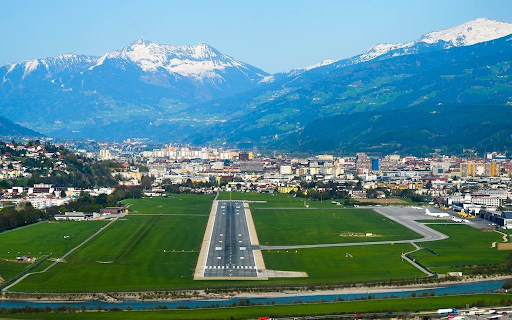
If you are looking for a challenge during your session, why not read our hardest airport approaches you can try: a fun guide to challenging landings you can attempt in the simulator during your visit.
Want to try it for yourself?
Most of you are probably reading this because you already have a session booked, in which case we look forward to welcoming you. If you have landed on this page before booking, the best way to understand the cockpit is to experience it in the seat for yourself.
Sessions are suitable for complete beginners, and we tailor the experience around what you want to do.
Book a simulator session:
Buy gift vouchers:
If you would like to read a bit more first, read our blog post Full-motion vs fixed-base: what actually makes one simulator feel more realistic than another;
We look forward to seeing you at the sim soon!

Comments